

Face Tracking
A Face Tracking AR project puts content on a person's face through their phone or computer camera: glasses, hats, masks, face paint, make-up, and effects that react when they smile, blink or open their mouth.
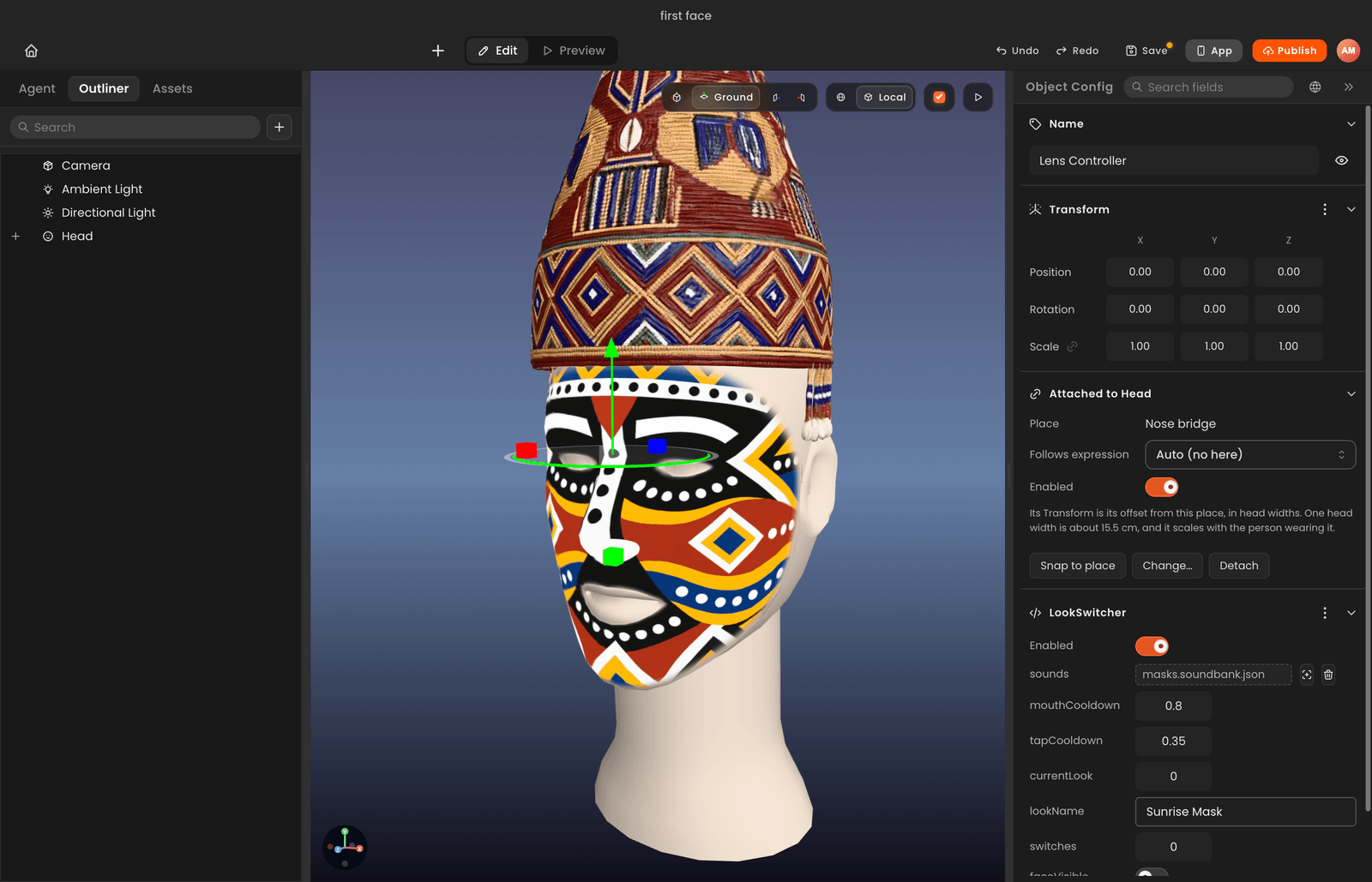
What's different in this project type
- The Head is the centre of the scene. It stands for the person's head, and everything you attach to it follows the face. A project has one Head; if you delete it, Add Object → Head brings it back.
- The Head's inspector sets up the Occluder: an invisible head shape that hides whatever goes behind the real head (the arms of a pair of glasses, the back of a hat). Show occluder and Show head help you see what you're doing, and Inset (cm) and Hair (cm) fit it to the face.
- Face Mesh (Add Object → Face Mesh, once there's a Head) is a texture that wraps the face and moves with it. Its inspector has Generate texture (describe it and AI paints it), Use image, Download template (the face layout, for painting in an image editor) and Apply mask.
- Face Attachment pins an object to a place on the head.
- Preview runs on your own face, a preset video or a test head.
Workflow
- Add content: models from the Assets tab, objects from Add Object, or ask the agent.
- Attach it to the head: select the object, then Add Component → Face → Face Attachment. In Attach to head, pick a place on the head map or in the list. Choose Snap onto the place to put it there, or Keep its Transform to keep where you placed it as its offset from that place.
- Fine-tune: the object's Attached to Head section shows its Place and Follows expression. Snap to place puts it exactly on the place, Change… picks another, and Detach stops it following.
- Paint the face with a Face Mesh if you want make-up, paint or a mask.
- React to the face with scripts: expressions, blinks, head tilts and hand poses. See Face gestures.
- Preview it (below), then Publish, or build an Android or iPhone app with App.
Preview a face project
In the Preview tab, the face source menu picks what the preview runs on:
| Source | What it is |
|---|---|
| Your face | Your computer's camera, the way a visitor's phone works. |
| Video 1, Video 2 | Preset videos of a face, with no camera needed. |
| Test head | A rendered head you can turn, for checking fit. |
With the Test head, a view menu turns it (Front, Three-quarter and other views), Expression makes it Smile, Open mouth, Blink, Wink or Raise brows, and Hand holds up a hand pose (Open palm, Fist, Pointing, Pinch, Thumbs up, Peace, OK) so you can test gesture scripts. A readout at the top left shows what the tracker sees: whether it found a face, the expressions it reads and any hands.
See Preview and test for the rest of the Preview controls.
Tips
- Use the occluder whenever something goes around the head. Without it, the far side of glasses and hats shows through the face.
- Check fit on the Test head from the side as well as the front.
- Always try it on a real phone before you publish.
Related
- Face tracking: the face runtime, the head, attachments and the occluder from scripts.
- Face gestures: reacting to expressions and hand poses.