

Understanding the Editor
The editor window is divided into a handful of regions. Each one has a dedicated page in this section.
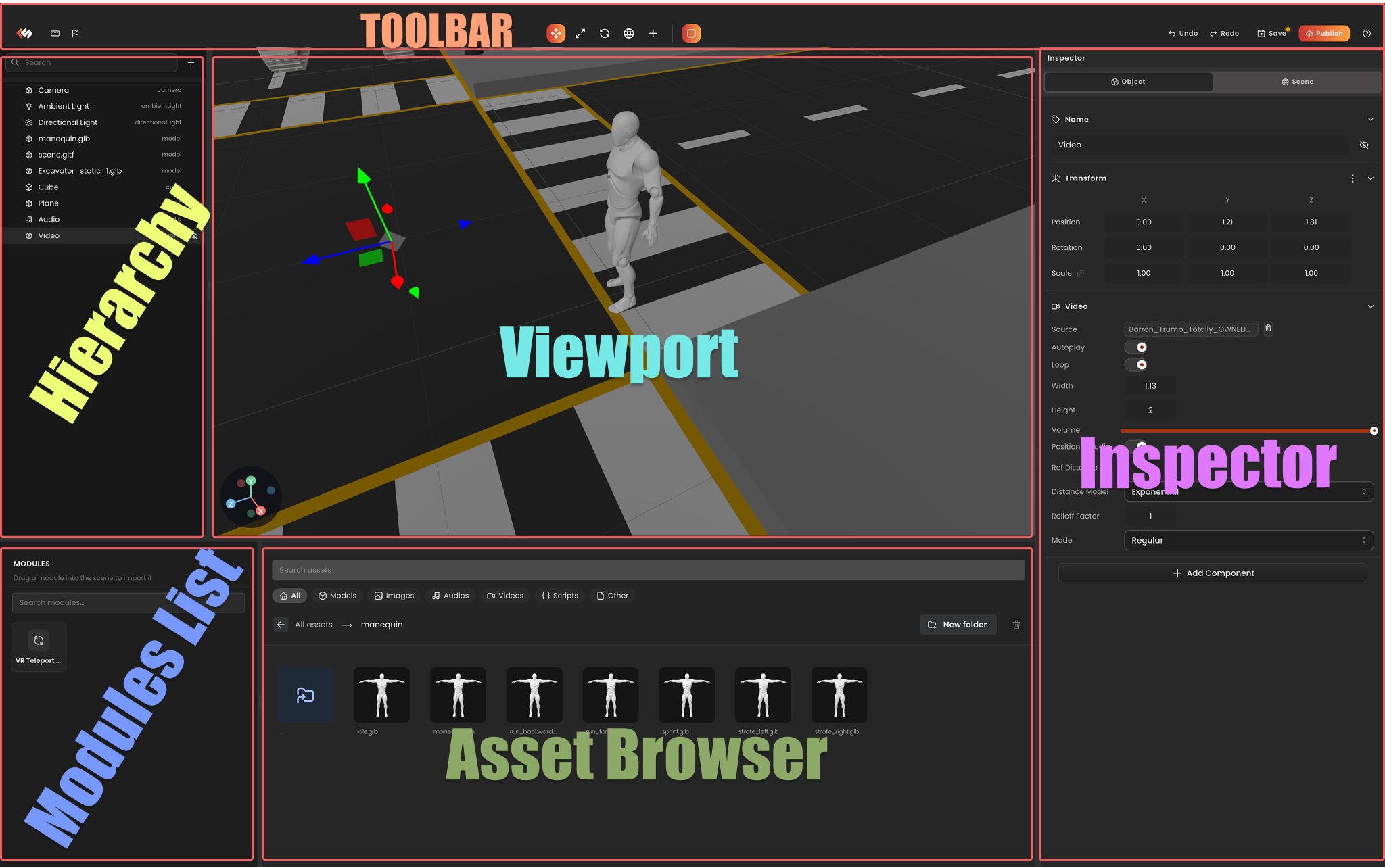
| Region | Purpose |
|---|---|
| Hierarchy | The scene tree. Add, select, parent, and reorder entities. |
| Toolbar | Global actions settings, save, preview, publish. |
| Viewport | The 3D scene view. Click to select, drag gizmos to transform. |
| Inspector | Edit components on the selected entity. |
| Assets Browser | Files in your project's assets/ folder. Drag into the scene to add. |
| AI Agent | AI-powered assistant for scene creation, scripting, and workflow automation. |
Read these in any order, most pages are short and focused on one region.