

Assets
The Assets tab in the side panel shows the files in your project's assets/ folder: models, images, audio, video, materials, prefabs, scripts and fonts. It also opens the Sketchfab library, where you can find free 3D models and drop them straight into your scene.
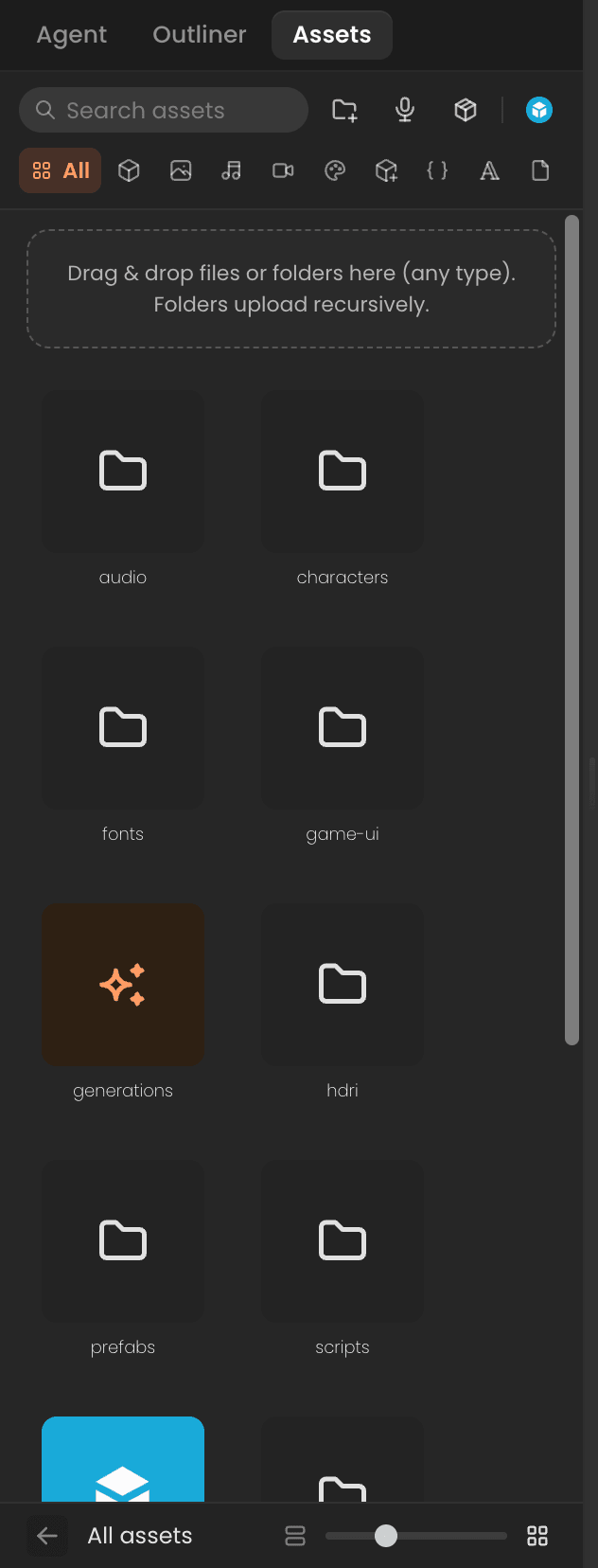
The header
| Control | What it does |
|---|---|
| Search assets | Filters the files in the open folder by name. |
| New folder | Makes a folder in the open folder. |
| Record audio | Records your voice or a sound with your microphone and saves it as an audio file. See Audio editor. |
| Project size | Shows what publishing uploads, which files are largest, and lets you optimise images and videos for the web. |
| Sketchfab button | Switches to the Sketchfab library (below). |
Under the header, the type filters narrow the list: All, Models, Images, Audio, Videos, Materials, Prefabs, Scripts, Fonts and Other. In a narrow panel the filters turn into icons.
Adding files
Drag files from your computer onto the Assets tab. They're copied into the open folder of your project.
| Type | Formats |
|---|---|
| Models | .glb, .gltf, .fbx |
| Images | .png, .jpg, .jpeg, .webp, .gif, .svg |
| Audio | .mp3, .wav, .ogg, .flac |
| Video | .mp4, .webm, .mov, .mkv |
| Scripts | .ts, .tsx, .js |
| Fonts | .woff2, .woff, .ttf, .otf |
When you add a font, the editor also prepares it for text in 3D UI in the background. You don't need to do anything.
Models you import from Sketchfab, models you generate with AI and audio you record are added to your assets for you.
Folders
Folders are real folders inside assets/. Double-click one to open it; the path above the grid takes you back up (All assets is the top). Drag a file onto a folder to move it there.
Opening a file
Double-click a file:
| File | What opens |
|---|---|
| Model, image, video, audio | A preview. |
| Script | The script in your code editor. |
| Material | The material editor. See material assets. |
| Prefab | Prefab Mode, where you edit the prefab itself. |
The right-click menu
Right-click empty space in the grid for New Folder, New Script and New Material.
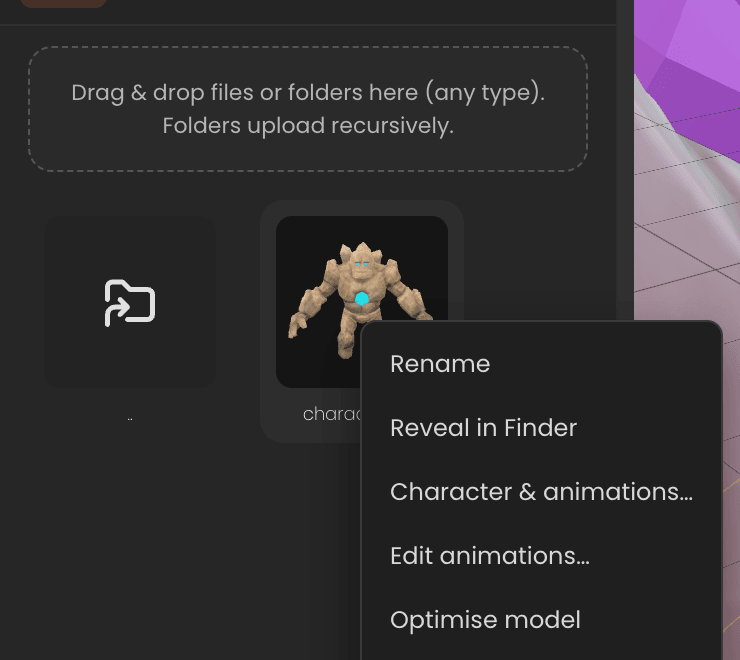
Right-click a file for:
| Item | Shown for | What it does |
|---|---|---|
| Rename | Everything | Renames the file. |
| Reveal in Finder / Show in Explorer | Everything | Shows the file on your computer. |
| Character & animations… | .glb models | Set up a character model: check and fix its rig, and add animations to it. |
| Edit animations… | .glb models | Opens the animation editor. |
| Optimise model | .glb models | Makes the model smaller and faster to load. |
| Edit audio… | Audio | Opens the audio editor. |
| Optimise for web | Audio | Makes the audio file smaller for the web. |
| Delete | Everything | Deletes the file. |
Using assets in your scene
- Drag a model, image, video or audio file onto the viewport to add it to the scene.
- Drag a prefab onto the viewport to place an instance of it.
- Drag onto an Outliner row to add it under that object, attach a script, or assign a material. See Outliner.
- Drag onto the Agent tab to give the agent that file as context. See AI agent.
The Sketchfab library
Sketchfab has thousands of free 3D models. Click the Sketchfab button in the header to search them without leaving the editor. The search box becomes Search Sketchfab; the back arrow (Back to your assets) returns to your files.
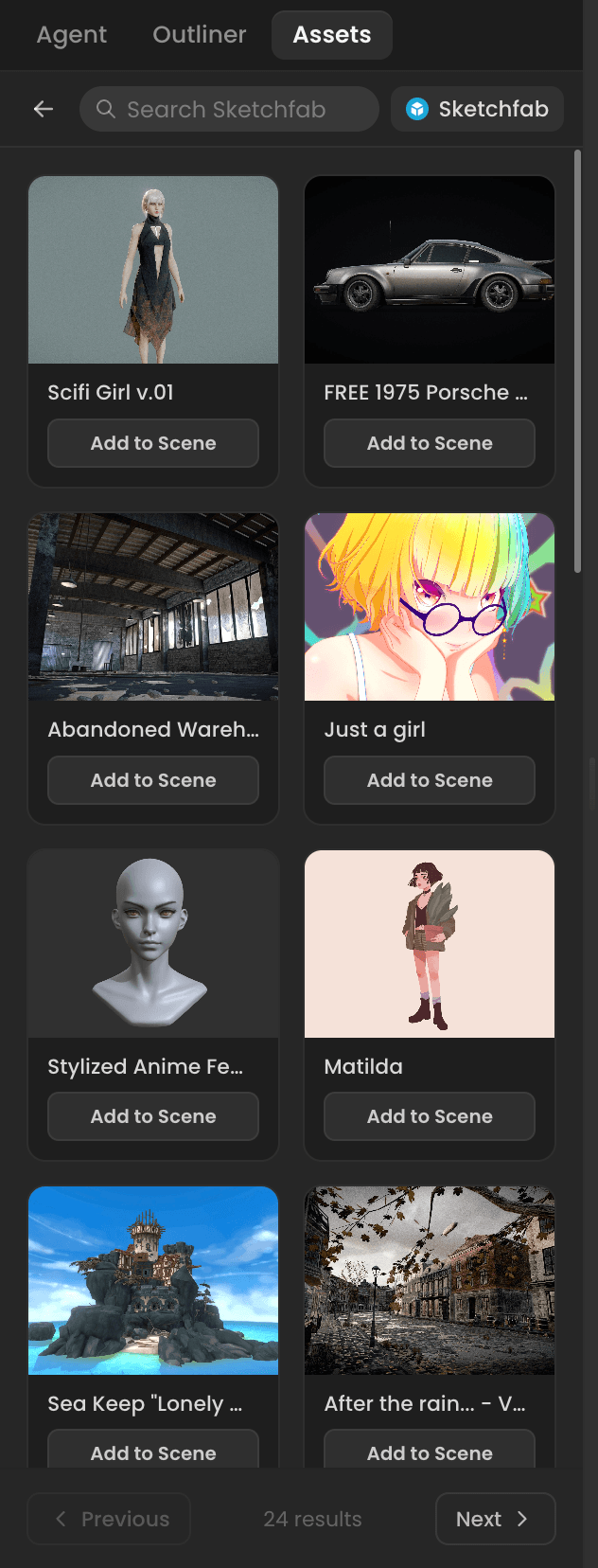
To get a model into your scene, do one of these:
- Click Add to Scene on its card.
- Drag the card onto the viewport.
- Drag the card onto an Outliner row to place the model under that object.
The model downloads into assets/sketchfab/ in your project, then appears in the scene.
Looking at a model first
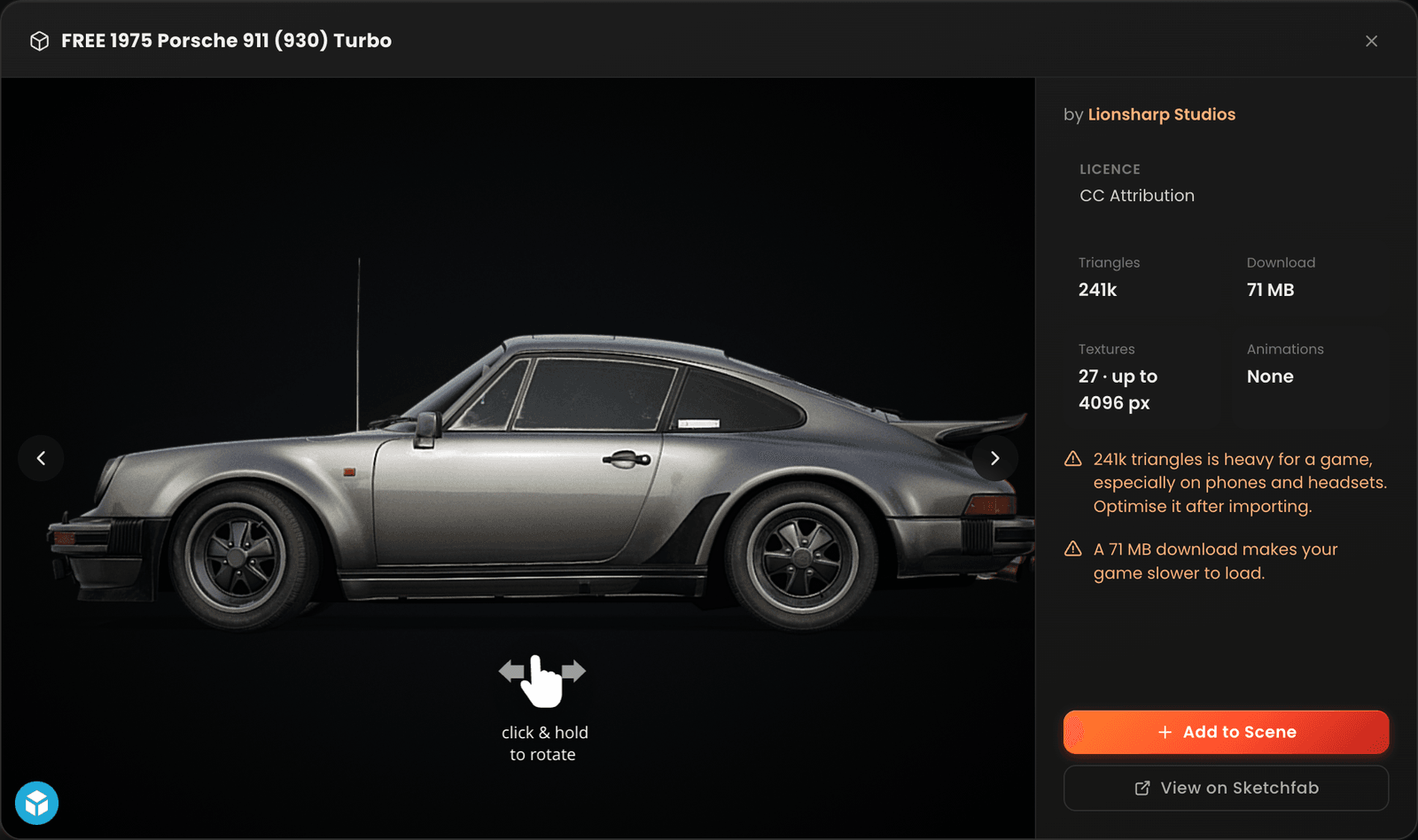
Double-click a card to open a 3D preview. You can turn the model around in Sketchfab's own viewer before anything downloads. Beside it you see:
- who made it (click the name to open their Sketchfab page),
- its Licence. A non-commercial licence is marked "Not for a game you sell or a paid project.",
- Triangles, Download size, Textures and Animations,
- a warning when the model is heavy for a game (over 100,000 triangles) or a big download (over 30 MB).
Use the arrows at the sides, or the left and right arrow keys, to step through the search results. Add to Scene downloads the model and closes the preview. View on Sketchfab opens the model's page in your browser.
TIP
Check the licence before you use a model in something you'll sell, and credit the author the way the licence asks.
Related
- Creating objects
- Prefabs
- Generation Studio: make your own models and images with AI
- Custom Behaviours: writing scripts