

Inspector
The inspector (right panel) is where you edit the components of whatever is currently selected either an entity or the scene itself.
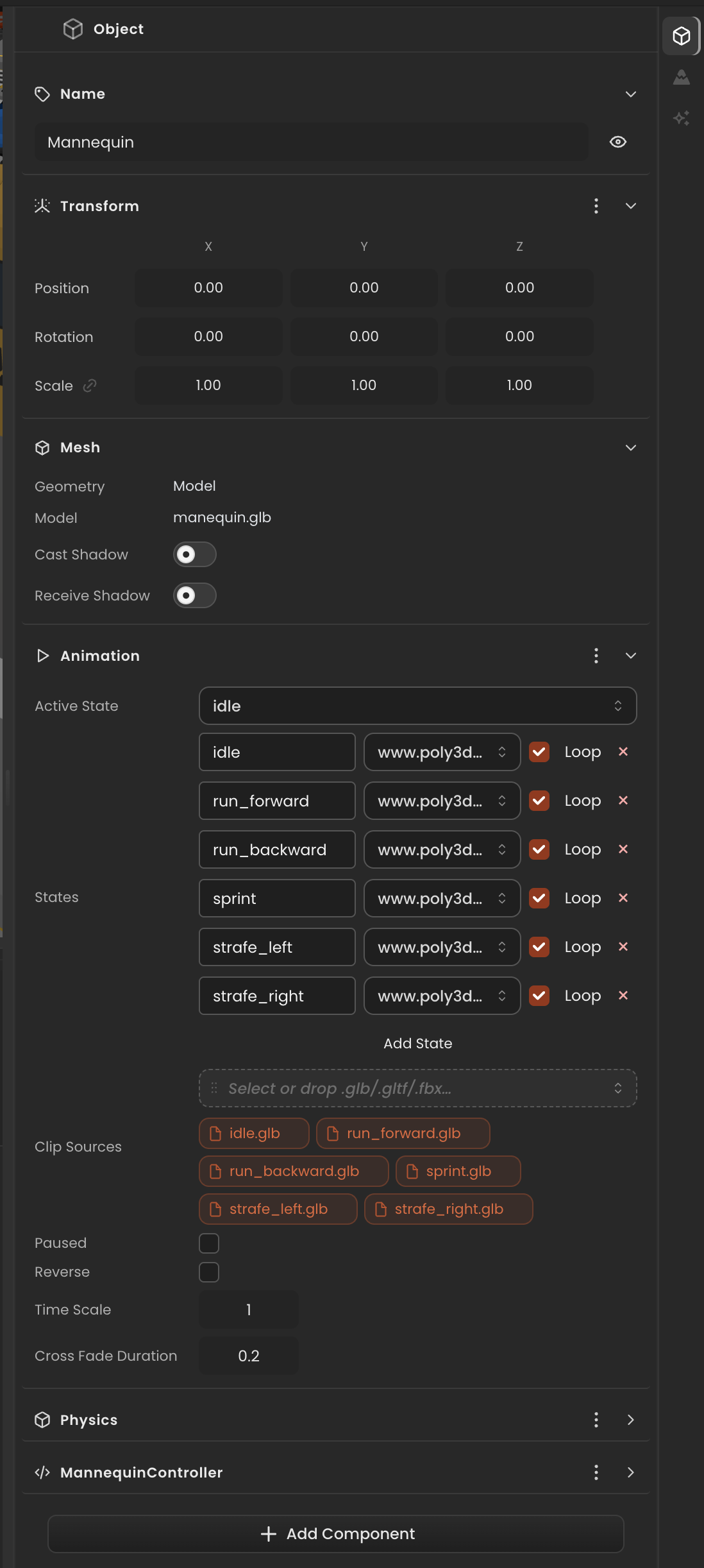
Component panels
Each component on the selected entity is rendered as a collapsible panel. Common ones are:
- Name: the editable display name.
- Transform: position, rotation (degrees in the inspector, radians at runtime), and scale. Scale uniformly with the link icon.
- Mesh: geometry source and shadow flags (cast / receive).
- Material: color, texture, opacity, and shader-specific settings.
- Animation: active state plus a list of clip sources you can drop
.fbx,.glb, or.gltffiles onto. - Light: type, color, intensity, range, shadow settings.
- Rigidbody / Collider: physics body type and collider shape.
- Script: attached
Behaviourand its inspector-bound fields.
The panels you see depend on which components the entity actually has. The full catalog and field-level details are in the Component Catalog.