

Image Tracking
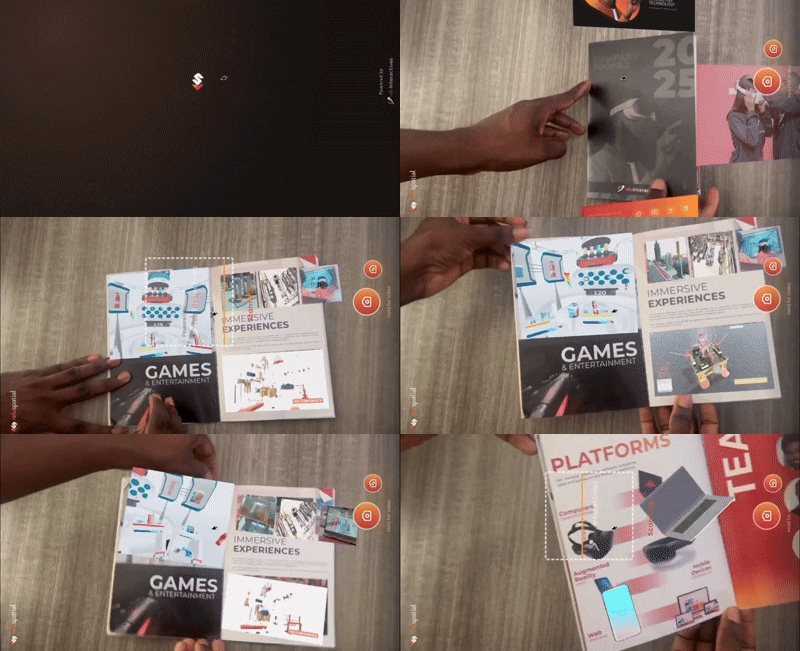
An Image Tracking project anchors 3D content to a printed or on-screen image. When the runtime detects a registered image target through the camera, it places the matching anchor entity at that target's position and orientation.
Use this for posters, business cards, product packaging, museum exhibits, and any AR experience tied to a printed surface.
What's different in this project type
When you open an image-tracking project, the editor changes in three ways:
- Image targets are first-class entities in the hierarchy. Each anchor represents one image and contains the children that should appear when that image is detected.
- The Image Targets panel a panel on the right side of the hierarchy view showing each image target and a button to compile new image targets. From there you upload reference images, set physical sizes, and preview tracking quality.
Workflow
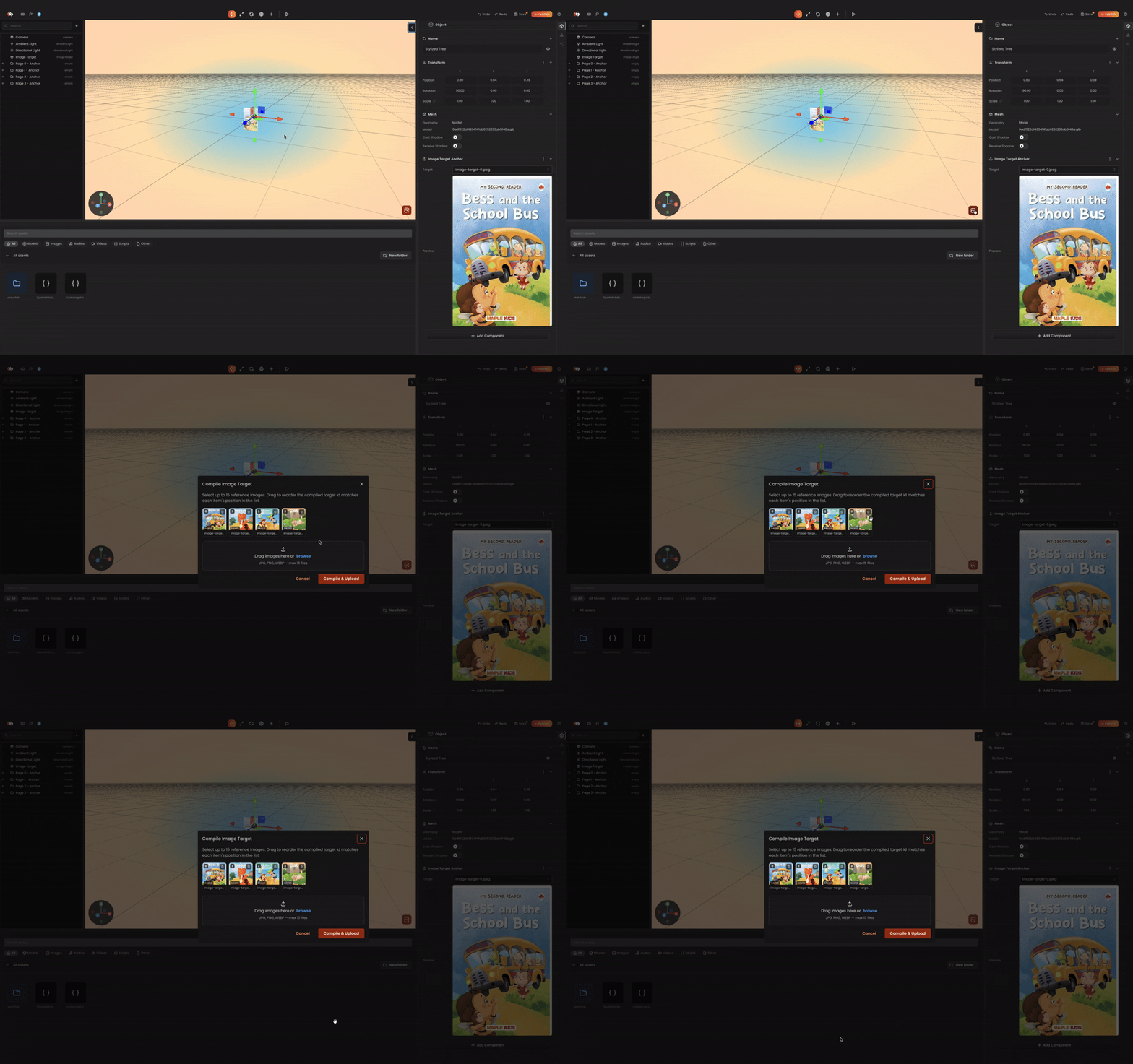
- Add an Image Target entity from the image targets panel click
Add Image Targetsbutton. - Drag or pick tracking images and click the compile button to compile image targets.
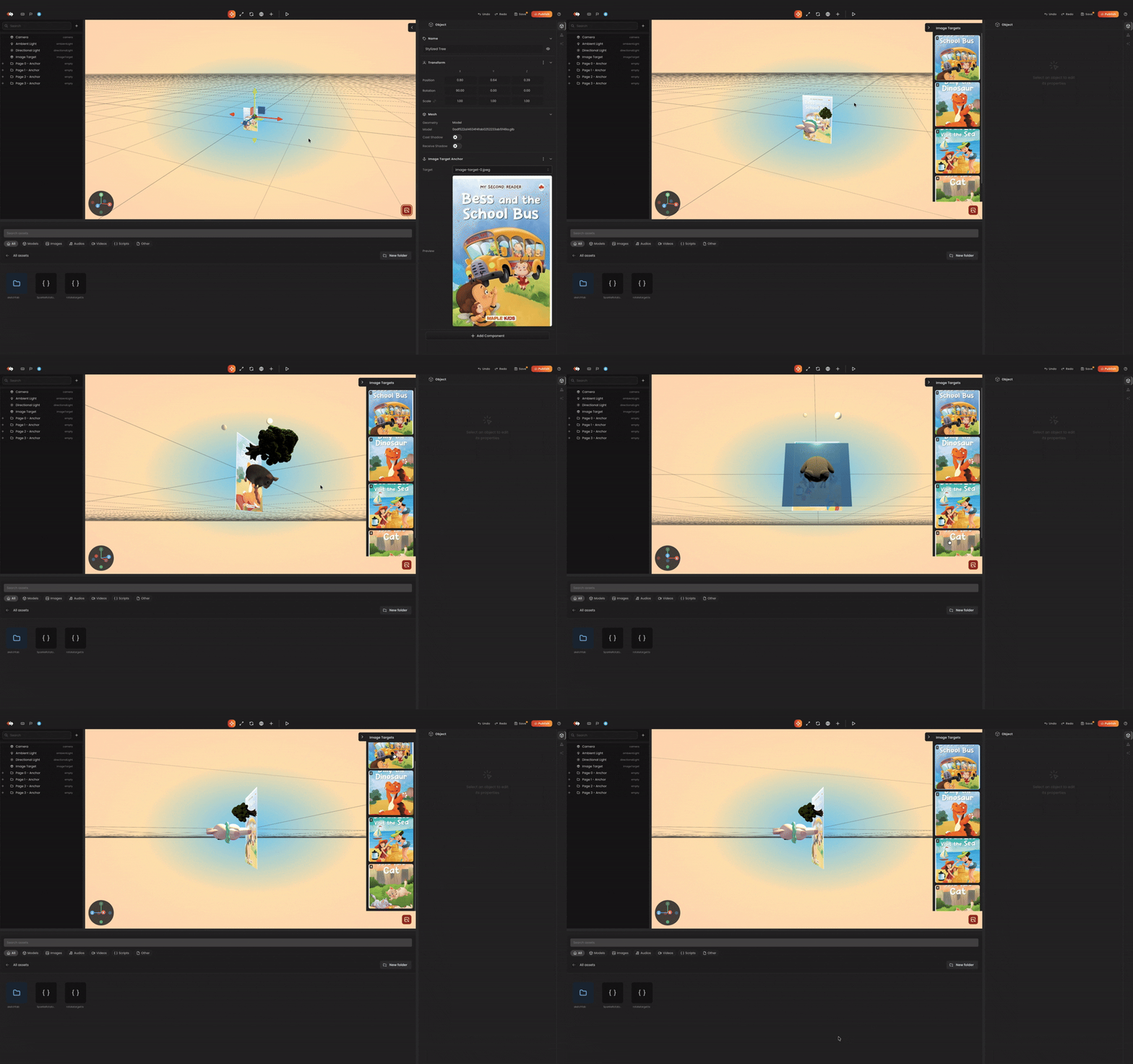
- In the Image Targets panel select an image target to Add child entities under the anchor. Anything you add in the scene when that image target is selected becomes visible only when that image is detected.
- Preview - press the preview button. The runtime loads the compiled targets and starts the device camera.
Tips
Choosing Good Image Targets
AR engines rely on distinct visual features (edges and corners) to detect and track images. High-contrast, feature-rich images track best, while images with the following characteristics will fail or track poorly:
| Characteristic | Why It Fails | Example |
|---|---|---|
| Low Contrast & Gradients | AR engines rely on sharp changes in pixels (edges and corners) to find feature points; gradual color gradients offer no distinct tracking anchors. | A soft pastel watercolor wash or a blurry photo. |
| Repetitive Patterns & Symmetry | Repeating elements create identical feature points that confuse the algorithm, while strict symmetry prevents the engine from determining correct orientation. | Brick walls, checkerboards, or a symmetrical tribal logo. |
| Excessive Blank/Empty Space | Large flat areas or empty borders contain zero feature data, forcing the tracker to rely on a restricted surface area. | A tiny corporate logo centered in the middle of a massive blank white sheet of paper. |
| Reflective or Glossy Finishes | Shiny surfaces bounce ambient light and create moving glares/reflections, generating dynamic visual noise that breaks tracking. | Laminated prints under direct office lights or displaying the target on a low-luminosity phone screen. |
In summary: avoid faces, gradients, large flat colors, repetitive patterns, excessive white space, and glossy/reflective surfaces.
Other Tips
- Keep the physical size field accurate, this is what the runtime uses to scale your 3D content to the printed image.
- Children of an image-target anchor inherit its transform. Position objects in local space relative to the anchor, not world space.
- Recompile targets whenever you add or change reference images.
Related
- Component Catalog → Image Target - runtime component reference.
- Spawning → Image Target - spawning anchors from scripts.