

Prefabs
A prefab is an object you've set up once and saved as a reusable file (.prefab): a character with its physics and scripts, a pickup, a street lamp with its light. Place as many copies as you like. Each copy is an instance that stays linked to the prefab, so when you change the prefab, every instance updates.
This page covers prefabs in the editor. For spawning prefabs from a script while the game runs, see Prefabs in the scripting guide.
Making a prefab
- Set up the object in your scene, with everything it needs under it in the Outliner.
- Drag its Outliner row onto the Assets tab in the side panel. Hold it there until the tab opens.
- Drop it in the file grid, in whichever folder you like.
The editor saves the object and everything under it as a .prefab file named after the object. The object you dragged becomes the first instance of the new prefab.
You can also ask the agent: "Make the lamp post a prefab."
Limits
- Cameras and image targets can't go inside a prefab.
- You can't make a new prefab while another one is open in Prefab Mode.
Placing instances
Drag a .prefab file from Assets onto the viewport, or onto an Outliner row to place it under that object. Duplicating an instance (Cmd/Ctrl + D) gives you another linked instance.
Instances have a blue prefab marker in the Outliner. When you select one, the inspector shows a Prefab instance bar:
| Button | What it does |
|---|---|
| Open Prefab | Opens the prefab in Prefab Mode. |
| Select Root | Shown when you selected something inside an instance: selects the instance's top object. |
| Unpack | Turns this instance into ordinary objects. They stay in the scene but no longer follow the prefab. The editor asks first. |
You can still change an instance in the scene: move it, recolour it, change a script setting. Those changes belong to that instance and are kept when the prefab updates. To add or remove objects inside an instance, edit the prefab itself.
Prefab Mode
Prefab Mode is where you edit the prefab itself. Open it by double-clicking a .prefab file in Assets, or with Open Prefab on an instance.
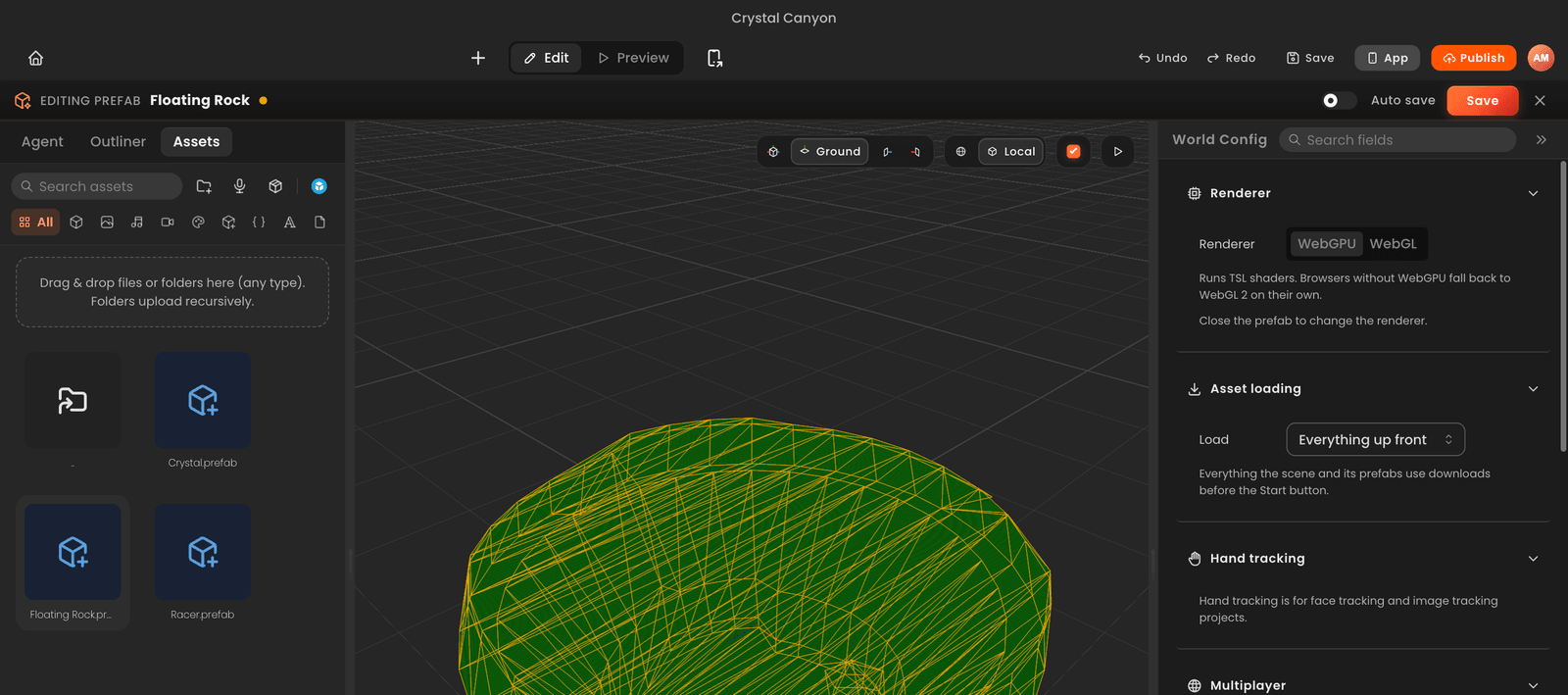
The viewport shows only the prefab, and a bar across the top says Editing Prefab. Edit it like any scene: add objects, change components, re-parent in the Outliner.
- Save (or
Cmd/Ctrl + S) saves the prefab file. - Auto save saves every change as you make it.
- The close button leaves Prefab Mode and goes back to your scene. If there are unsaved changes, the editor asks: Save, Close without saving, or Cancel.
When you leave, every instance in your scene is updated to match the prefab.
While a prefab is open, the navbar's Save, App and Publish are off, and the undo history starts fresh when you go in and when you come out.
Prefabs inside prefabs
A prefab can contain instances of other prefabs: drag a prefab into another one while it's open in Prefab Mode. Changing the inner prefab updates it everywhere, including inside the outer one. A prefab can't contain itself, directly or through another prefab; the editor stops you with "A prefab can't contain itself."
Unpack takes apart one level at a time: prefabs nested inside stay linked.