

Tours
Tours are short walk-throughs of the real editor. A card points at one part of the window at a time and explains it, and some steps ask you to try something. Nothing is a video or a mock-up: you click the actual buttons, and the editor stays usable the whole time.
Opening a tour
The first time you open a project, the editor offers the Get started tour once the viewport has loaded. Click Start to begin or Not now to skip it.
To take any tour later, open the avatar menu at the right of the navbar and choose Tours. The list shows the tours for this kind of project, how many steps each has, and a tick on the ones you've seen. Click one to start it.
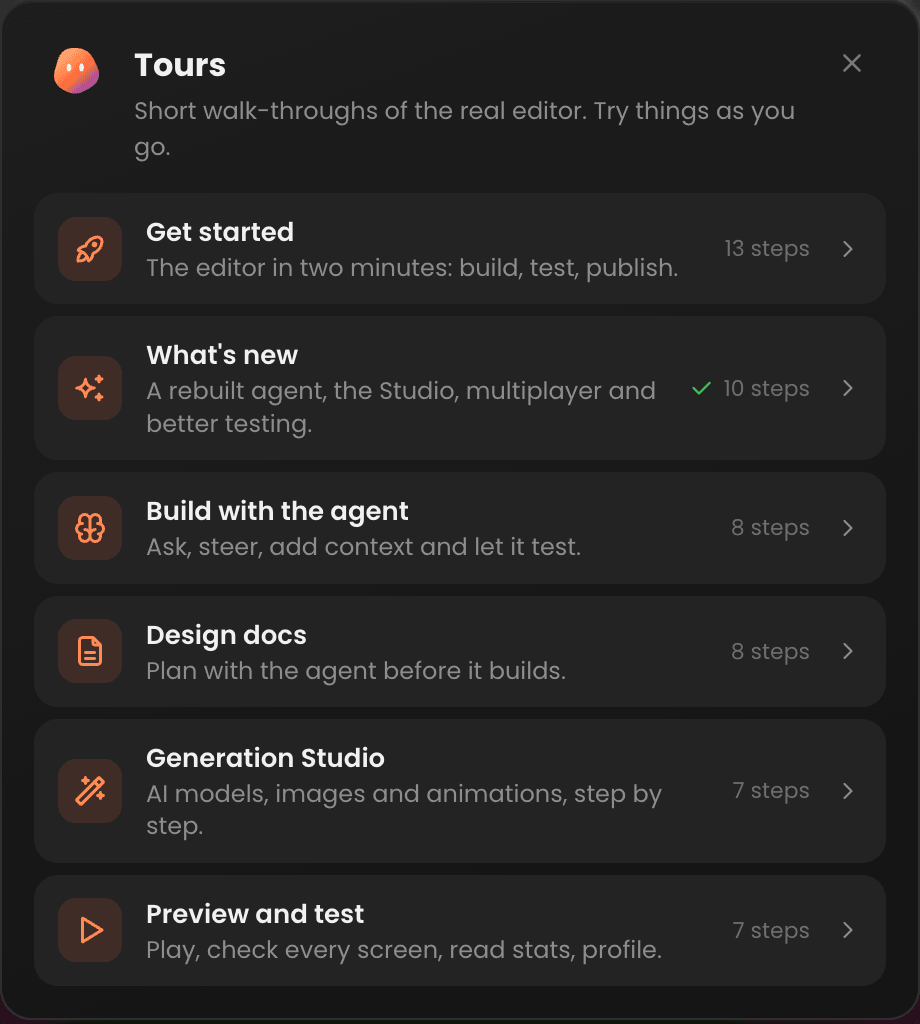
The tours
| Tour | What it covers |
|---|---|
| Get started | The editor in two minutes: build, test, publish. |
| What's new | A rebuilt agent, the Studio, multiplayer and better testing. For people who used an earlier version of the editor. |
| Build with the agent | Ask, steer, add context and let it test. |
| Design docs | Plan with the agent before it builds. |
| Generation Studio | AI models, images and animations, step by step. |
| Preview and test | Play, check every screen, read stats, profile. |
| VR and headsets | Preview on a headset, watch it live, profile it. XR projects only. |
| Image tracking | Compile your pictures, place content, test on a desk. Image-tracking projects only. |
| Face filters | Wear things on the face and test without a camera. Face-tracking projects only. |
Moving through a tour
- Next goes on, Back goes back, and Done ends the last step. On the first card, Skip ends the tour.
- A step marked Try it: moves on by itself once you've done the thing. Next moves on without doing it.
- Press
Escor click the close button to leave the tour. - If you open a menu during a tour, the card steps aside until you close it.
The last card of every tour points at Tours in the avatar menu, so you can pick the next one.