

Scene Inspector
The Scene configs in the inspector panel exposes scene wide singleton components settings that apply globally to the entire project rather than to a specific entity.
Opening the Scene tab
Deselect any selected object in the scene and the Scene config will show in the inspector (right panel). When an Object is selected it shows the selected entity's components; the Scene config shows the global settings when no object is selected in the scene.
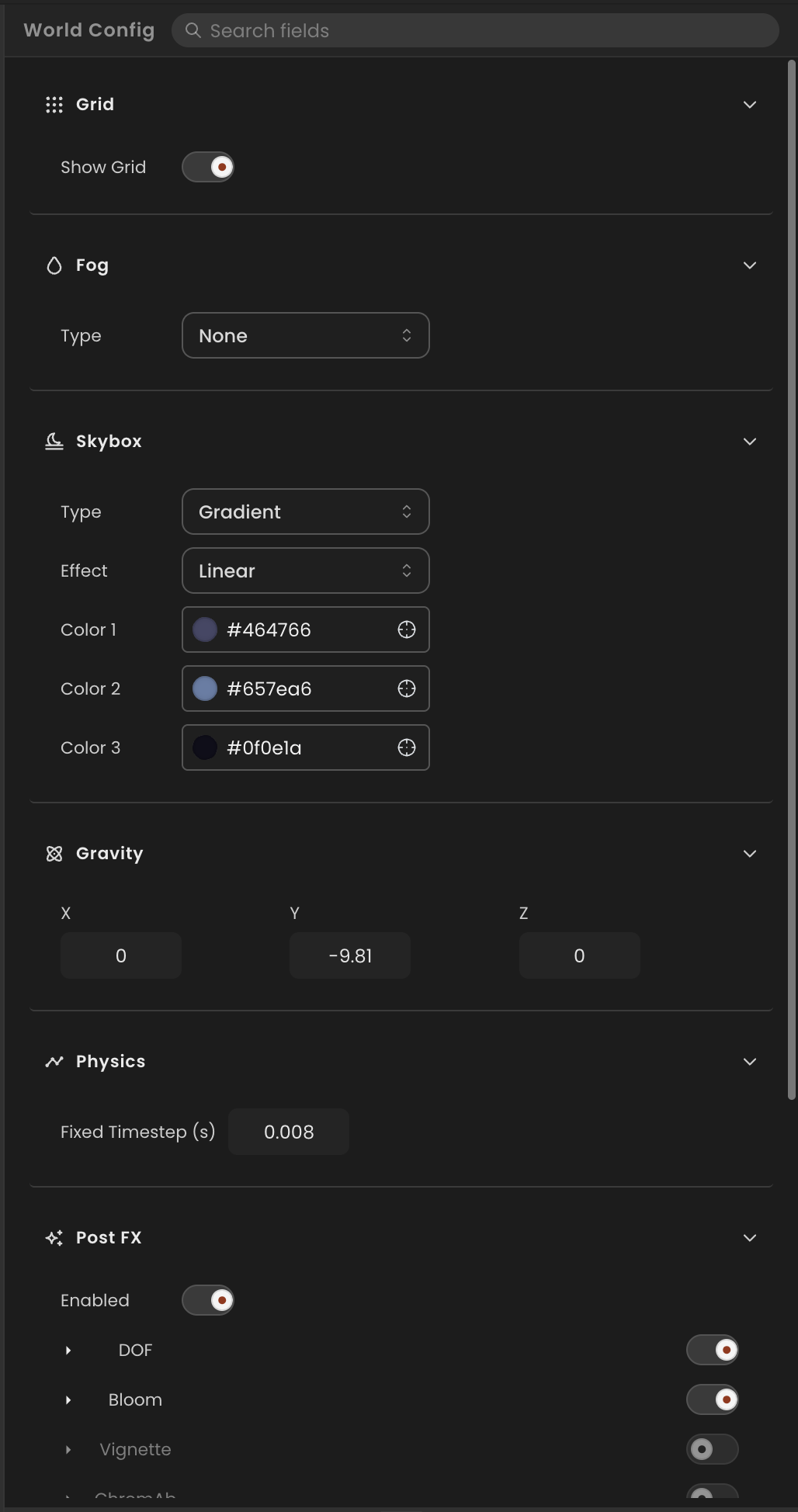
Sections
Skybox
Controls the background and ambient lighting of the scene.
| Field | Description |
|---|---|
| Mode | Gradient, Color, or Image. |
| Top color / Bottom color | Gradient stops (gradient mode). |
| Color | Flat background color (color mode). |
| Intensity | Ambient light contribution from the skybox. |
Fog
Adds atmospheric depth by fading distant objects toward a fog color.
| Field | Description |
|---|---|
| Enabled | Toggle fog on or off. |
| Type | Linear or Exponential. |
| Color | Fog blend color. |
| Near / Far | Start and end distances (linear mode). |
| Density | Fog density exponent (exponential mode). |
Gravity
Sets the global physics gravity vector applied to all dynamic rigidbodies.
| Field | Description |
|---|---|
| X / Y / Z | Gravity direction and magnitude (m/s²). Default is (0, -9.81, 0). |
Postprocessing
Adds full-screen visual effects on top of the rendered frame.
| Effect | Description |
|---|---|
| Bloom | Glowing halo around bright areas. |
| Depth of field | Lens blur at a configurable focal distance. |
| Vignette | Darkened corners. |
| Color grading | Brightness, contrast, and saturation adjustments. |
See Scene → Postprocessing for field-level details.