

Hierarchy
The hierarchy panel (top-left) is the tree of every entity in your scene. It is the canonical place to select, rename, parent, and toggle visibility of entities.
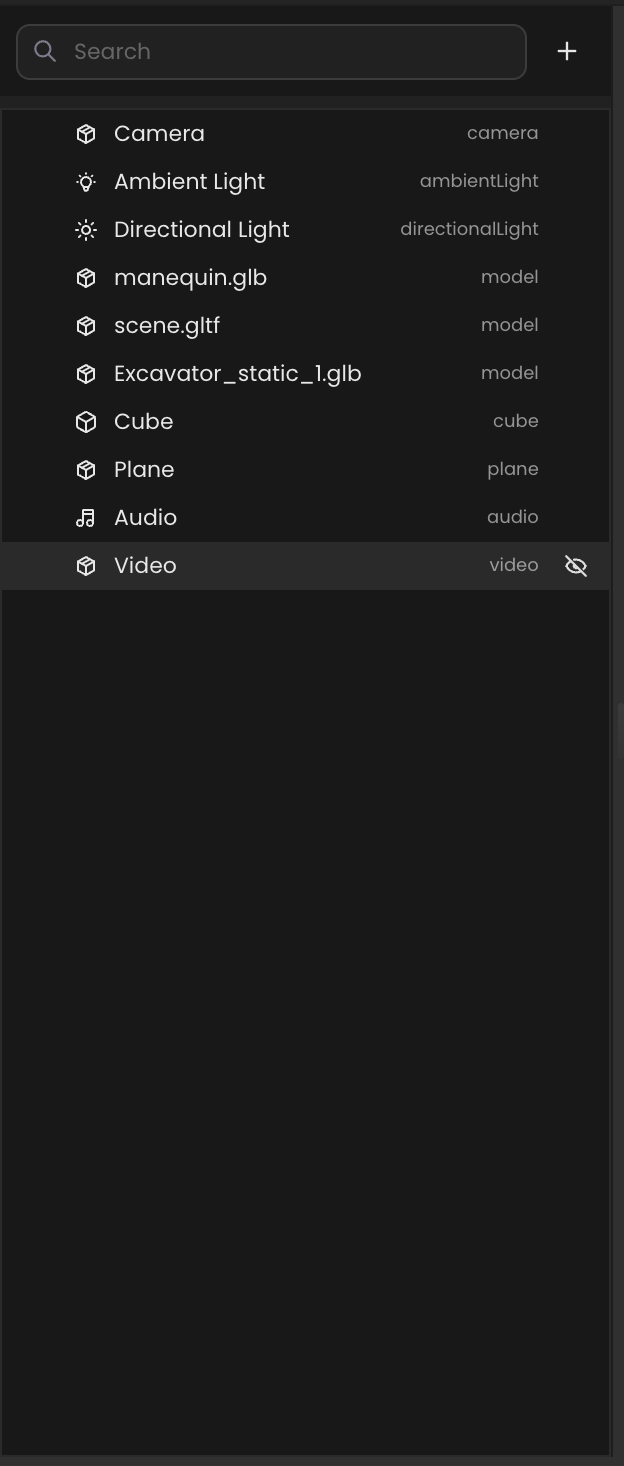
What you see per row
Each row represents one entity:
- Name: editable label (
Namecomponent value). - Type tag: the entity kind (
model,cube,directionalLight, …) shown as muted text on the right. - Eye icon: toggles visibility for that entity.
Selection
- Click a row to select the entity. The viewport gizmo and inspector both update.
- Click the empty area below the list to deselect.
- Selecting an entity in the viewport also highlights its row.
Searching
The search box above the tree filters rows by name. It searches the displayed name only not component values.
Adding entities
The + button at the top of the panel opens the same menu as the top-bar +.
Parenting
Drag a row onto another row to re-parent it. The dragged entity becomes a child of the drop target, and its transform becomes local to the parent.
- Drop onto a row → child of that row.
- Drop between rows → reorder under the same parent.
- Drop on empty space → re-parent to the scene root.
IMPORTANT
Some entities, for example image-target anchors control their own children. Re-parenting them across different anchor groups can change runtime behavior. See the Component Catalog for component-specific notes.
Renaming
Double-click a row's name to rename. The new value writes to the entity's Name component immediately and shows up in scripts that look entities up by name (world.getEntityByName(...)).